Reports
A report is a runbook whose output is the point. Write the checks once, run the document from cron or CI, and send what it printed. The prose around the numbers stays the same each week; the numbers are fresh.
- Tables, not walls of text.
out=markdownputs a block’s output into the document as markdown, andmd_tableturns tab-separated lines into a table. - Prose that quotes results.
{{#total/env(TOTAL)}}in a sentence shows the value blocktotalleft behind. - Sections that appear only when they matter. Text between
<!-- mdsh:if {{#full/env(FULL)}}!=0 -->and<!-- mdsh:end -->is printed only when the condition holds, so a warning shows up only when there is something to warn about. - Leave the code out.
--hide-codeprints the prose and output only, for readers who won’t run it. - Three formats from one run.
--pdffor attaching,--htmlfor a page that works on its own, with images inside it, and-n -ofor markdown that renders on GitHub.
Sample: disk usage report
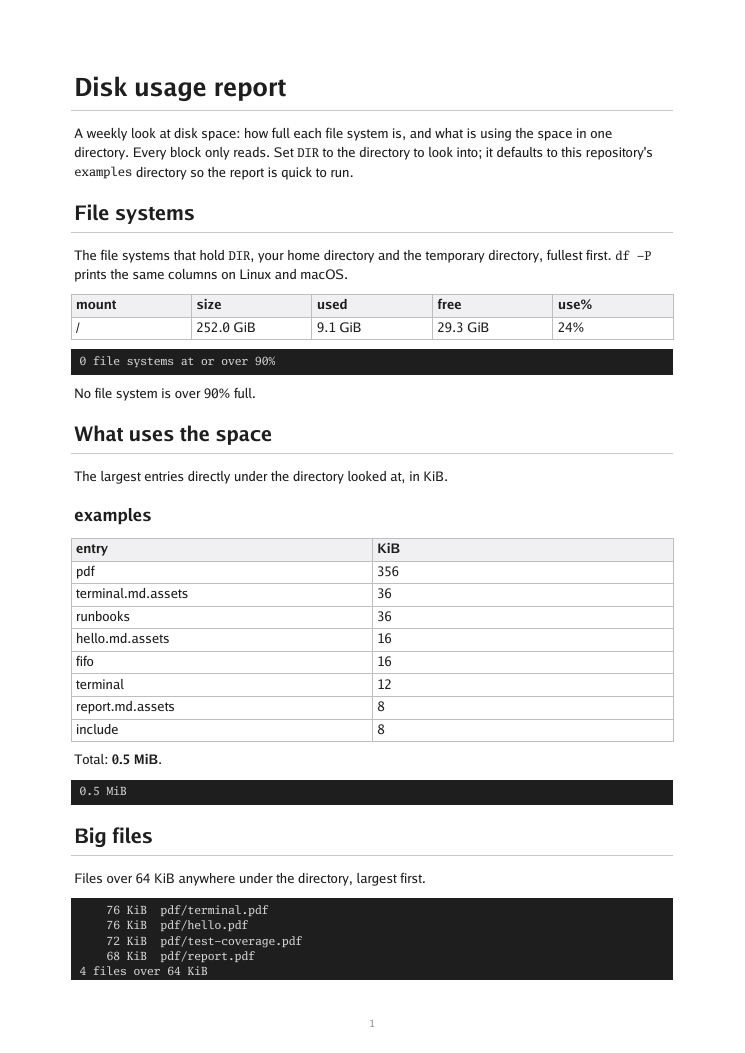
disk-report.md shows how full the file systems are, what takes the space in a directory, the big files and the temporary files. A warning paragraph appears only when a file system is over the limit.
mdsh --hide-code --pdf disk.pdf disk-report.md     # PDF
mdsh --hide-code --html disk.html disk-report.md   # one HTML file
mdsh -o run.md disk-report.md                      # run, keeping the output
mdsh -n --hide-code -o disk.md run.md              # that run, as markdown
The report from one run, with the code hidden: PDF · HTML · markdown
More reports
- system-report.md describes the machine for a bug report, with sections that show only on Linux or only on macOS, and a block that runs in a sub-env so tokens in your shell can’t leak into it.
- test-coverage.md runs mdsh’s own tests with coverage and writes tables by package and of the least-covered functions. Its PDF is in the repository.