PDF output
--pdf FILE lays out what mdsh would print as a PDF: the prose, the blocks
and their output, after the run. It’s pure Go, so there is nothing else to
install.
mdsh --pdf report.pdf report.md                 # run, write the PDF
mdsh --hide-code --pdf report.pdf report.md     # prose and output only
mdsh --only build --pdf build.pdf report.md     # one block and what it needs
mdsh -w --pdf report.pdf report.md              # update the file and the PDF
mdsh -n --pdf report.pdf report.md              # the output saved by -w; nothing runs
mdsh --step --pdf report.pdf report.md          # ask before each block, then write the PDF
mdsh --pdf - report.md | lpr                    # PDF on stdout
The flags work as they do for printing: --hide-code and --hide-output
decide what’s shown, --only what runs, and show=, show-output= and
mdsh:if sections still apply. With -w or -o the markdown is written as
well, and the PDF still shows the printed view.
--html FILE works the same way and writes a standalone HTML page, styled
like the PDF, with local images inside it so the file can be sent on its
own. Raw HTML in the document is left out of the page.
Stepping through a run
--step, front matter step: true and confirm blocks still ask before
running blocks when you write a PDF. The prompt goes to the terminal, so it
works with --pdf - too. Once you’ve answered for every block, mdsh writes
the PDF. A block you skip, or skip with o because it already has saved
output, shows that saved output in the PDF. A block you stop at, and every
block after it, also shows its saved output. See
Confirming blocks.
An example
examples/report.md
is a small release report. mdsh --pdf pdf/report.pdf report.md turns it
into
this PDF:
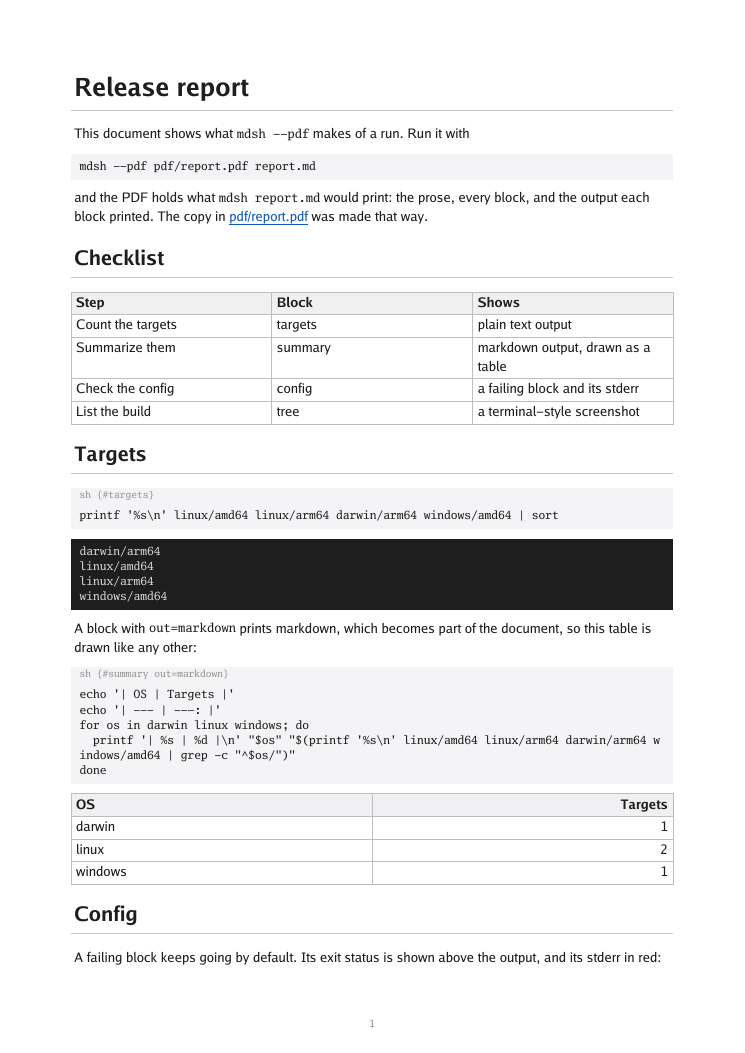
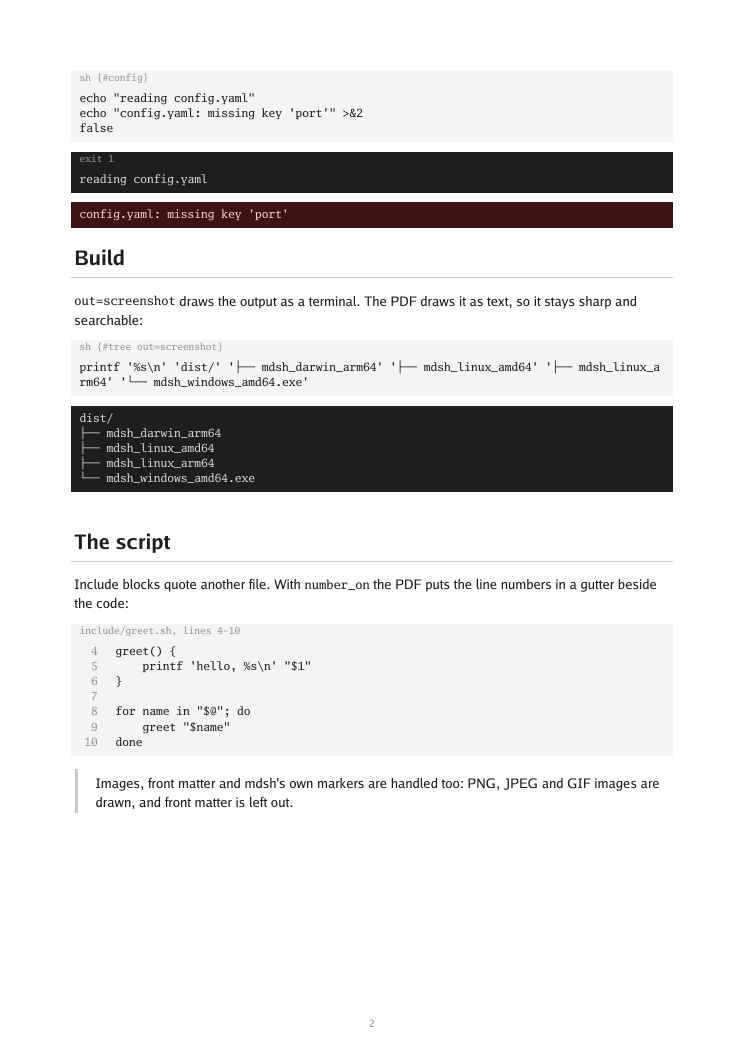
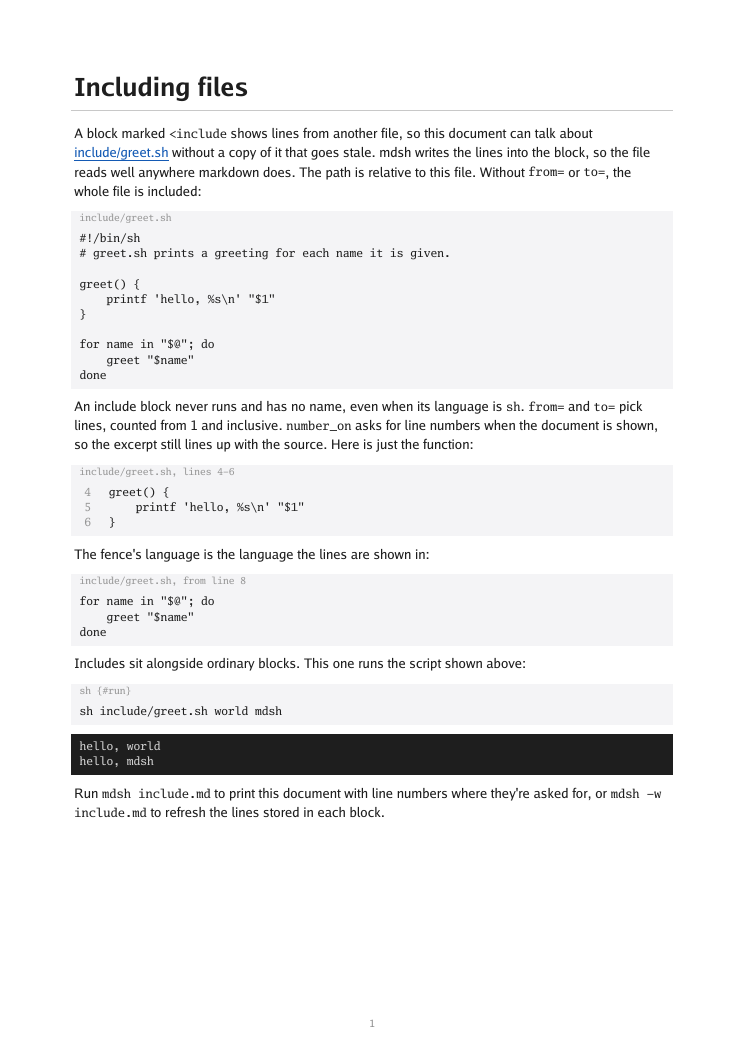
PDFs of the other examples sit beside it: hello.pdf and include.pdf.
What goes on the page
| In the document | In the PDF |
|---|---|
| Prose, lists, tables, quotes, links | Laid out as on a page; headings become PDF bookmarks |
| A runnable block | A light box, captioned with its info string |
| Its output | A dark, terminal-style box |
| A failing block | exit N above its output, stderr in a red box |
out=markdown output | Part of the document, like any other markdown |
out=screenshot (SVG) | The text, in a terminal-style box, sharp and searchable |
| PNG, JPEG and GIF images | Drawn, scaled to fit the page |
| Other images (SVG, remote URLs) | Their alt text |
| An include block | Captioned with its file and lines |
An include with number_on | Line numbers in a gutter beside the code |
Front matter, #! line, output markers | Left out |
Pages are A4 and numbered. Text uses the Go fonts, so characters they don’t cover, such as emoji or CJK, show as boxes.