Markdown that runs.
Run the code blocks in a markdown file, like a notebook whose file format is plain markdown.
go install github.com/gdey/markdownshell/cmd/mdsh@latestA notebook you can read anywhere
An mdsh document is an ordinary markdown file. Prose explains what each
block does, the sh blocks run top to bottom, and the output lands right
under the block that made it. It renders on GitHub, diffs cleanly in git,
and runs from the command line.
#!/usr/bin/env mdsh
# Hello, mdsh

```sh {#setup}
export GREETING=hello
NAME=world
echo "$GREETING, $NAME"
```
Run mdsh -w hello.md and mdsh writes the result back into the file:
```output {for=setup exit=0}
hello, world
```
What it does
- Shared or isolated shells. Blocks share one shell like lines of a
script, or run in named sub-envs that only see the variables you pass
with
share=. - Output that stays put. Re-running replaces old output, so the file stays stable and diffs stay small.
- Text, markdown or images.
out=markdowninserts output as markdown,out=imagesaves image bytes next to the file, andout=screenshotdraws text output as a terminal-style picture. - Runbooks with guard rails.
confirmasks before a block runs,timeout=kills a stuck one, andrun=ormdsh:ifsections switch parts on with conditions like{{$DEBUG}}. - Prose that quotes results. Placeholders such as
{{#setup/env(NAME)}}show the value a block left behind. - Interactive mode.
mdsh -iopens a document in a terminal UI: pick blocks and run them, type new ones at a prompt, and edit them in your editor. See Interactive mode. - A desktop app.
mdsh-guiopens documents in tabs, runs blocks as you click them and edits the source beside the rendered view, on macOS and Linux. See Desktop app. - Terminal sessions. A
ttyblock runs on a real terminal and is recorded as a GIF; atapefence types its input so it runs unattended. - PDF and HTML reports.
--pdf report.pdflays out the run as a PDF, in pure Go, and--html report.htmlas a standalone page. See PDF output for an example. - Runbooks and reports. Deploys, incident steps, weekly reports and setup checklists, with sample reports. See Use cases.
- Executable files. With a
#!/usr/bin/env mdshshebang,./notes.mdjust runs.

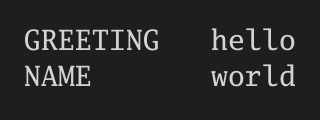
Both images above were drawn by blocks in the hello example.