
Changelog
All notable changes to this plugin are listed here. Versions follow
Semantic Versioning; the version lives in
addons/godot_nvim/plugin.cfg.
Each version starts with a summary of at most three sentences, then has Added, Removed and Fixed sections, with a screenshot for each major feature. The release workflow turns a version’s section into its GitHub release notes.
[Unreleased] #
Neovim 0.10 is now the minimum. The README and website said 0.9 and the Asset Store page 0.11; Neovim 0.9 has no inline virtual text, so the color swatches and resource icons don’t show there.
Fixed #
- Every page now gives the same requirement: Neovim 0.10 or newer, with 0.11+ recommended. Pull requests now run the tests on Neovim 0.10.0 and 0.11.4.
0.5.0 - 2026-10-28 #
Color literals get a swatch that opens Godot’s color picker, and resource
paths get their file’s icon, which opens the file or picks another.
:GodotErrors lists script errors from the whole project, and the language
server now connects reliably when Godot starts.
Added #
Icons for resource paths, like the color swatches. Before each
preload,loadorResourceLoader.loadpath (res://,uid://or relative) sits the file’s FileSystem icon, or the image itself for textures. Double-clicking it or:GodotOpenResourceopens the file: a scene in Godot’s 2D or 3D editor, a script in Neovim, anything else in the Inspector.:GodotPickResourcepicks another file of the same kind in Godot’s Quick Open dialog and replaces the path. Both are also in Neovim’s right-click menu.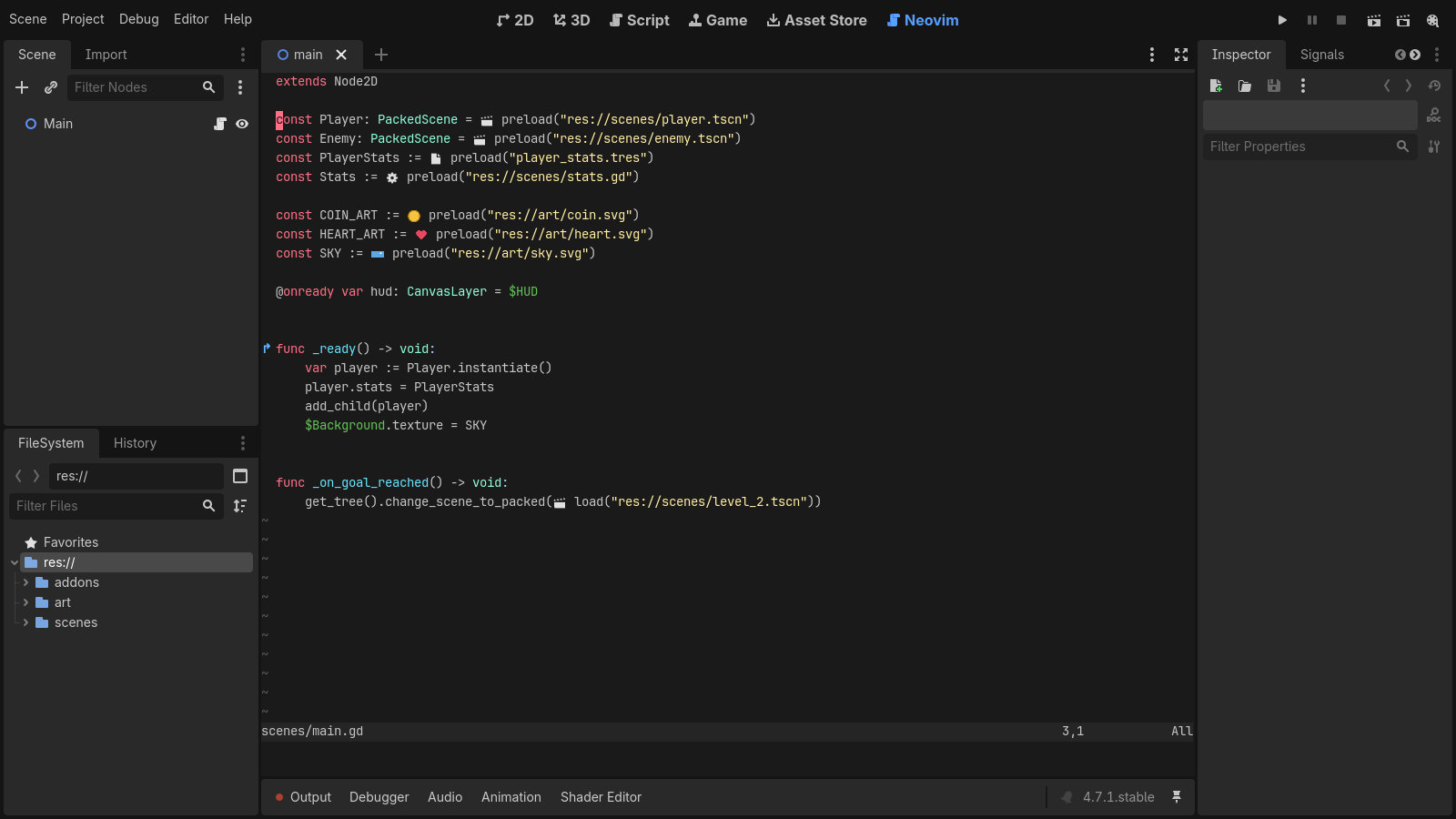
A color picker for
Colorliterals, like the script editor’s. A swatch in the color sits before each literal; clicking it,:GodotColororgCopens Godot’s color picker there, and each pick rewrites the literal in the form you choose (Color(r, g, b, a), a hex string, HSV, OKHSL, 8-bit or 0x hex). Oneuundoes the picks.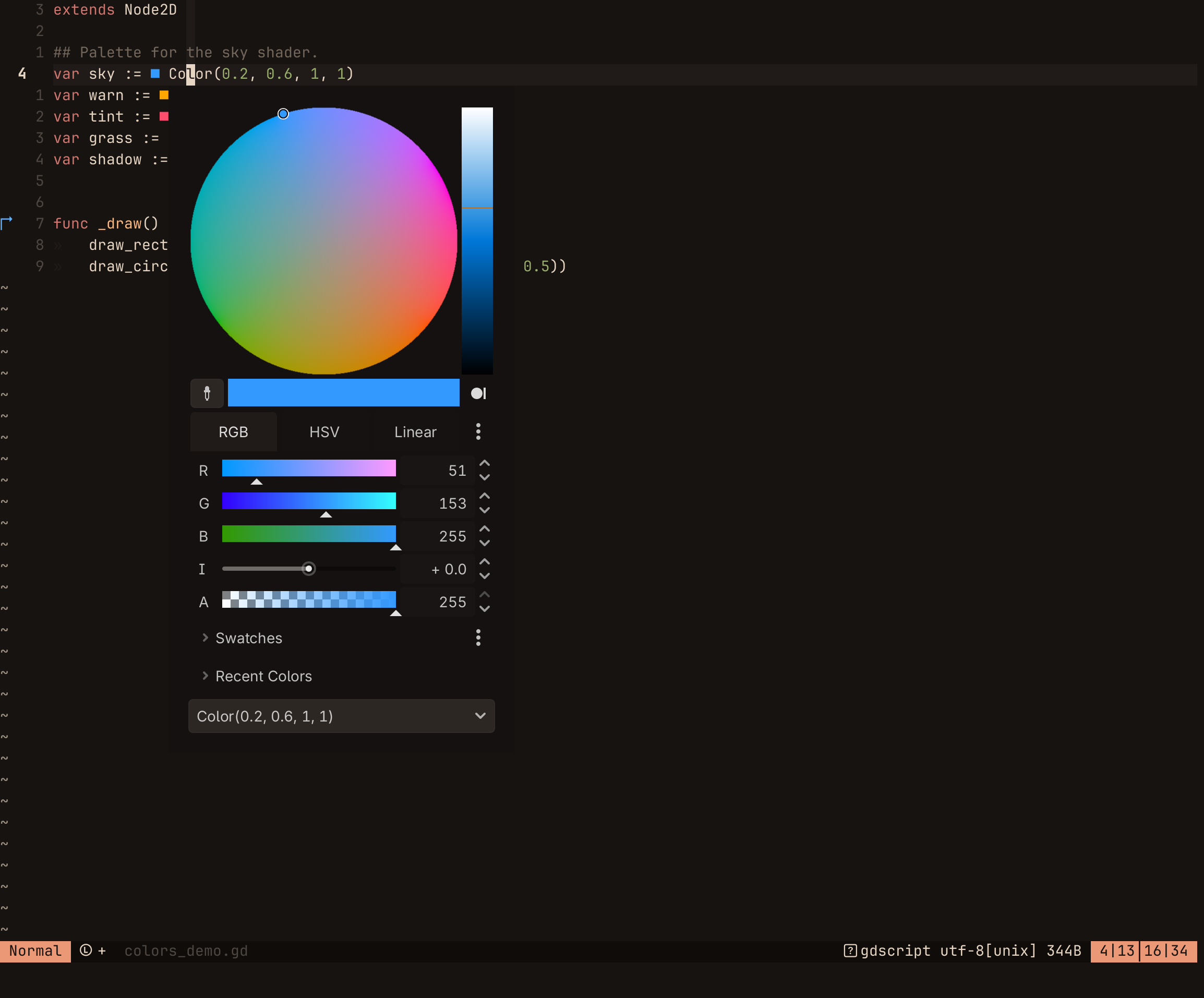
:GodotErrorschecks every script in the project with Godot’s language server and, if any have errors, lists them in the quickfix list and opens it.:GodotErrors!lists warnings too. The language server only reports errors for open files, so before this you only saw errors in scripts you had opened.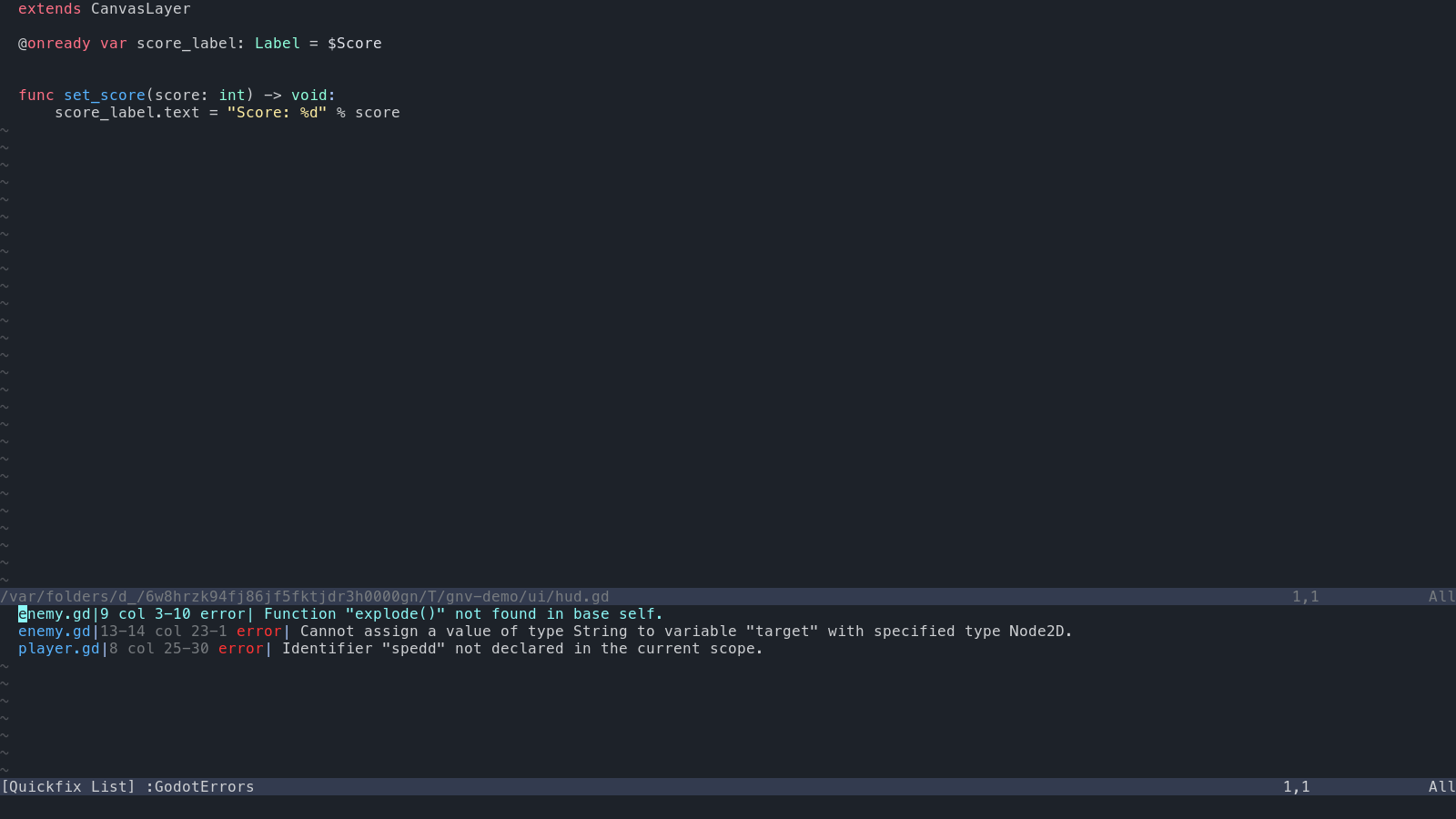
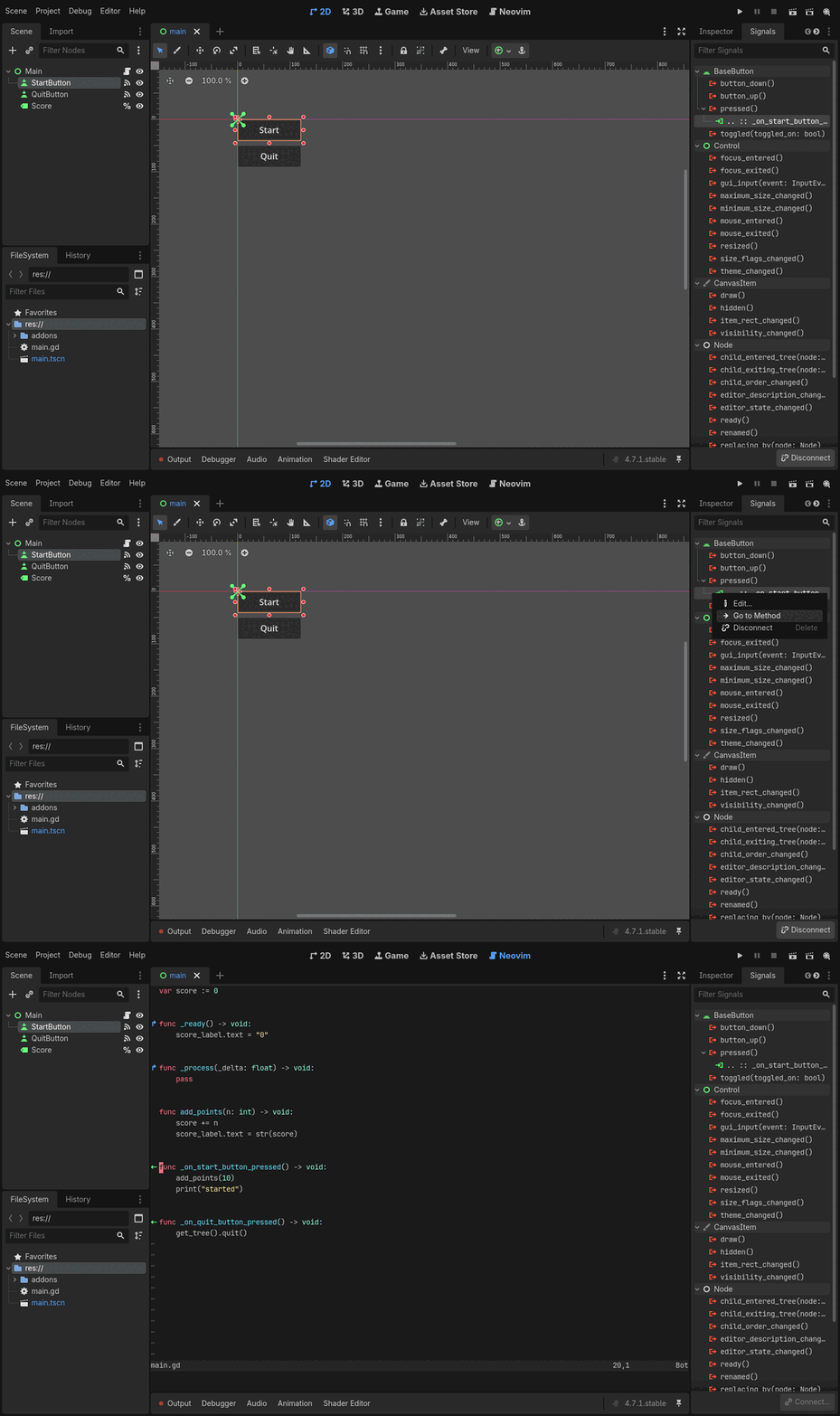
The Signals dock’s Go to Method (right-click a connection) and double-clicking a connection open the connected method in Neovim, where they used to open Godot’s script editor. The method is found in Neovim’s buffer, so unsaved edits that moved it count.
vim.g.godot_nvimis set before your config loads, so it can tell the Neovim inside Godot apart, for example to turn off lazy.nvim’s update list there.A project website, gdey.github.io/godotnvim, with the features, install steps, the README as documentation and this changelog.
Fixed #
:GodotRunScenewith an image or other imported file ran it as a scene instead of warning that it is not one.- Starting Godot showed
Could not connect to 127.0.0.1:6005, reason: "ECONNREFUSED"in Neovim, and.gdfiles opened at startup got no language server. Godot starts its language server only once the editor has loaded, after Neovim opens the session’s files; the plugin now waits for the server before attaching, and:GodotErrorswaits for it too. - The addon is no longer exported with your game. Its scripts were included
in every export, though nothing loaded them; an export plugin now skips
everything under
addons/godot_nvim/while the plugin is enabled. :bwipeoutor:bdeleteon a buffer that was the only window of a scene’s tab page closed the tab page and switched Godot to another scene. The tab page now stays and shows the next buffer, as Neovim does with a single tab page.
0.4.0 - 2026-10-26 #
Each scene open in Godot now gets its own Neovim tab page, and switching
scenes on either side switches the other. A new start_clean setting runs
Neovim without your config, to rule it out when something misbehaves.
Added #
Editor Settings →
godot_nvim/start_clean(off by default) starts Neovim with--clean, without your config, plugins and ShaDa, to rule them out when something misbehaves. The plugin’s own features, including the session and format on save, keep working. Changing it restarts Neovim, or waits for:qaif there are unsaved changes.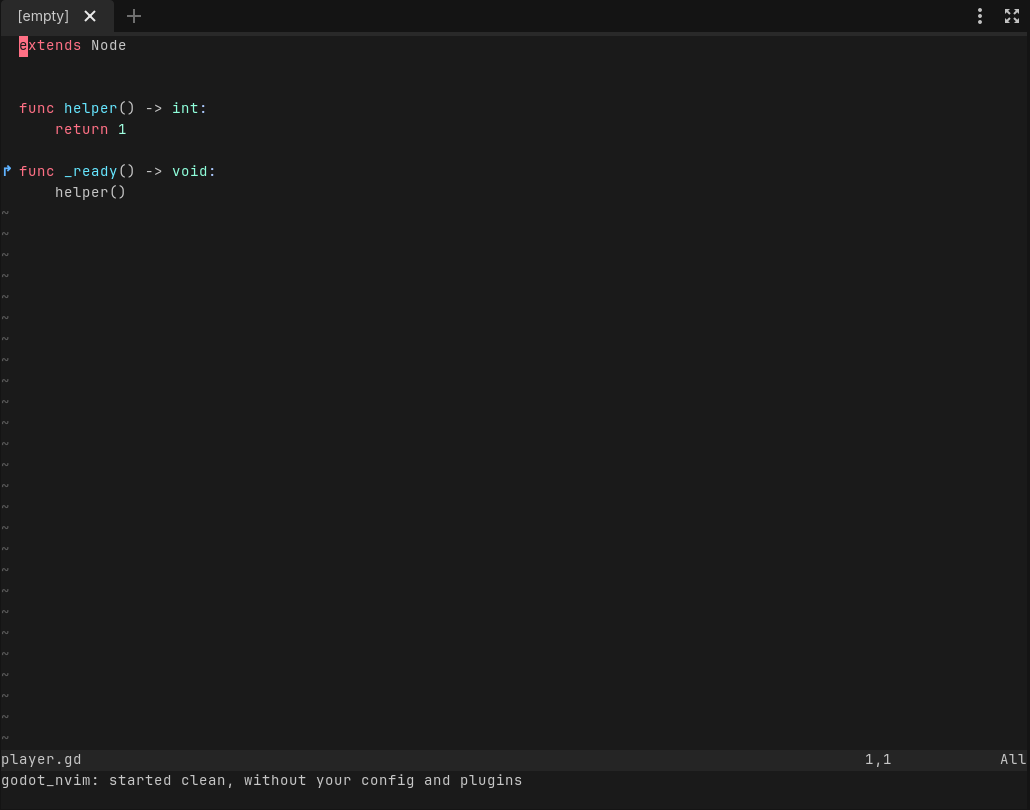
Each scene open in Godot gets its own Neovim tab page. Switching scenes in Godot shows that scene’s tab page, and switching tab pages in Neovim switches Godot’s scene. Opening a scene makes its tab page; closing it closes the tab page and keeps its buffers. Scripts opened from Godot open in the current scene’s tab page. The links are saved with the session. Editor Settings →
godot_nvim/link_scene_tabsturns it off.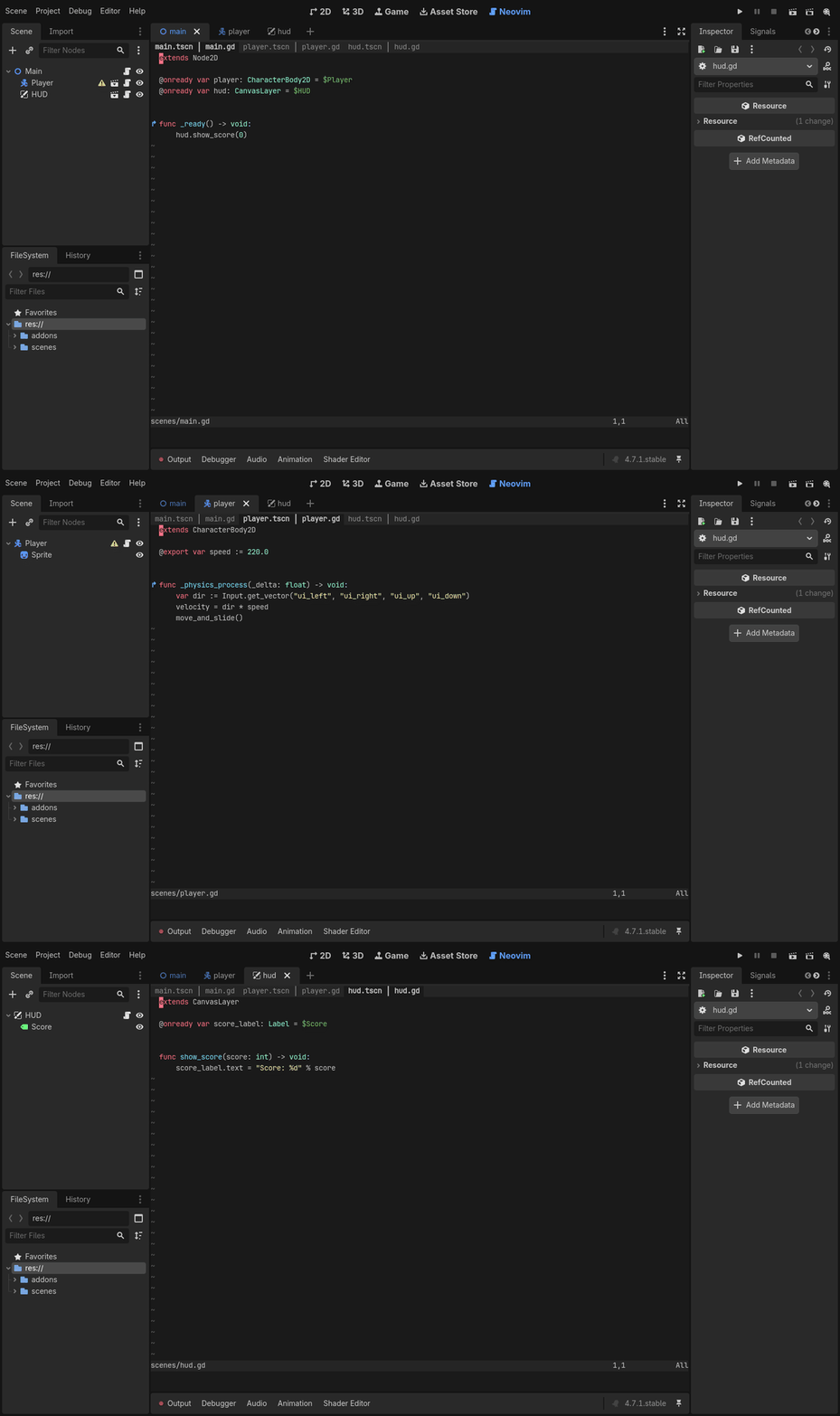
0.3.0 - 2026-10-25 #
Neovim now restores your open files, splits and tabs when the project
reopens, and Inspector properties can be dragged in as node paths.
:GodotRunFile runs an EditorScript from Neovim, and each release now
carries vim2godot, a tool that turns Vim colorschemes into Godot themes.
Added #
colorscheme/: vim2godot, a Go tool that converts a Vim or Neovim colorscheme (any on vimcolorschemes.com) into a Godot editor theme, a.tetfor the script editor plus an EditorScript for the interface colors. It is not part of the addon download. cendre is included as an example.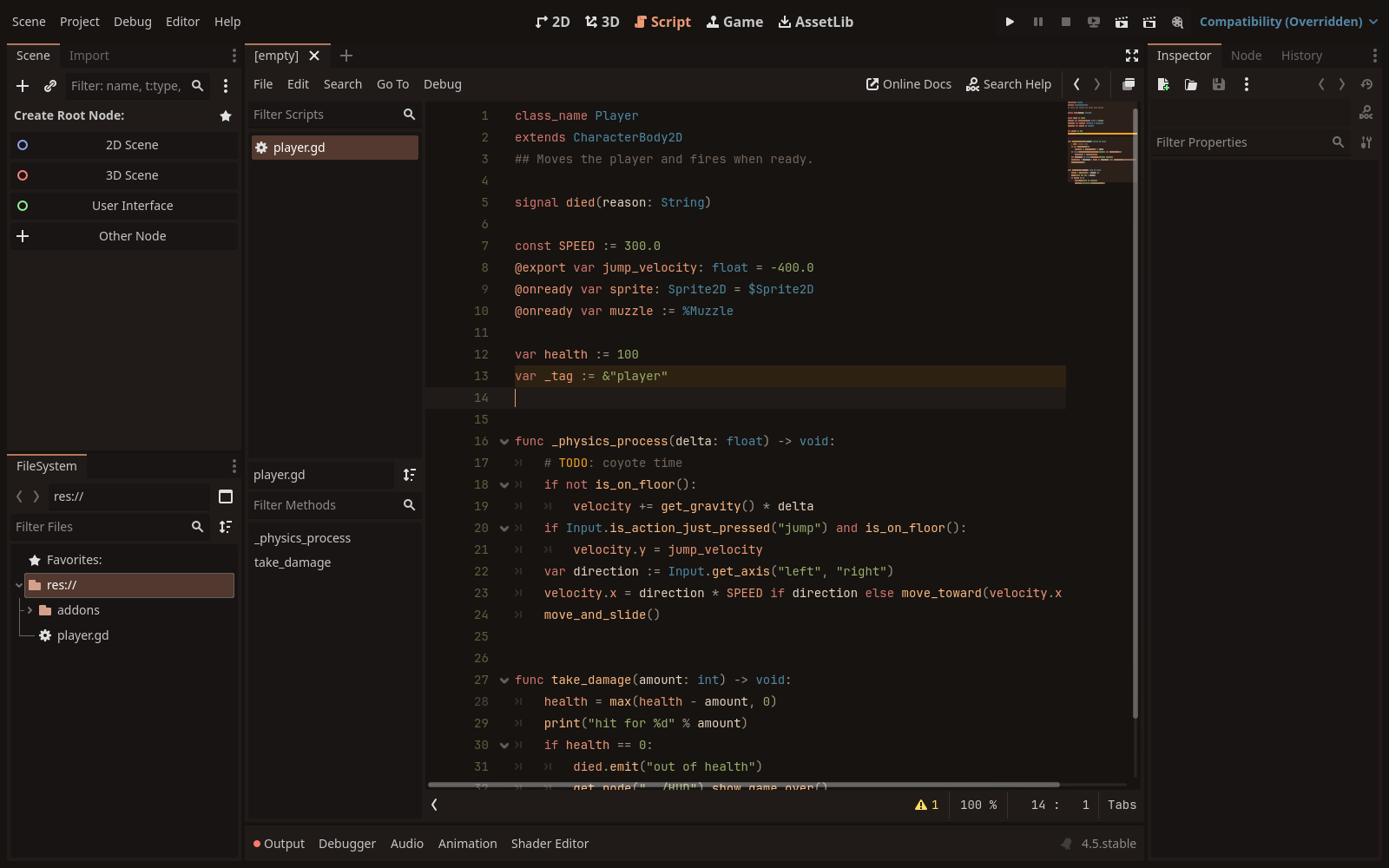
Releases now also carry vim2godot prebuilt for Linux, macOS and Windows (amd64 and arm64) as
colorscheme-<version>-<os>-<arch>archives, with the addon’s version number, plusSHA256SUMS.txt.vim2godot -versionprints the version.:GodotRunFile [file]runs a@toolscript that extendsEditorScript, as the script editor’s File → Run does. Without a file it runs the current buffer, writing it first if it has unsaved changes. Files outside the project run after a confirmation.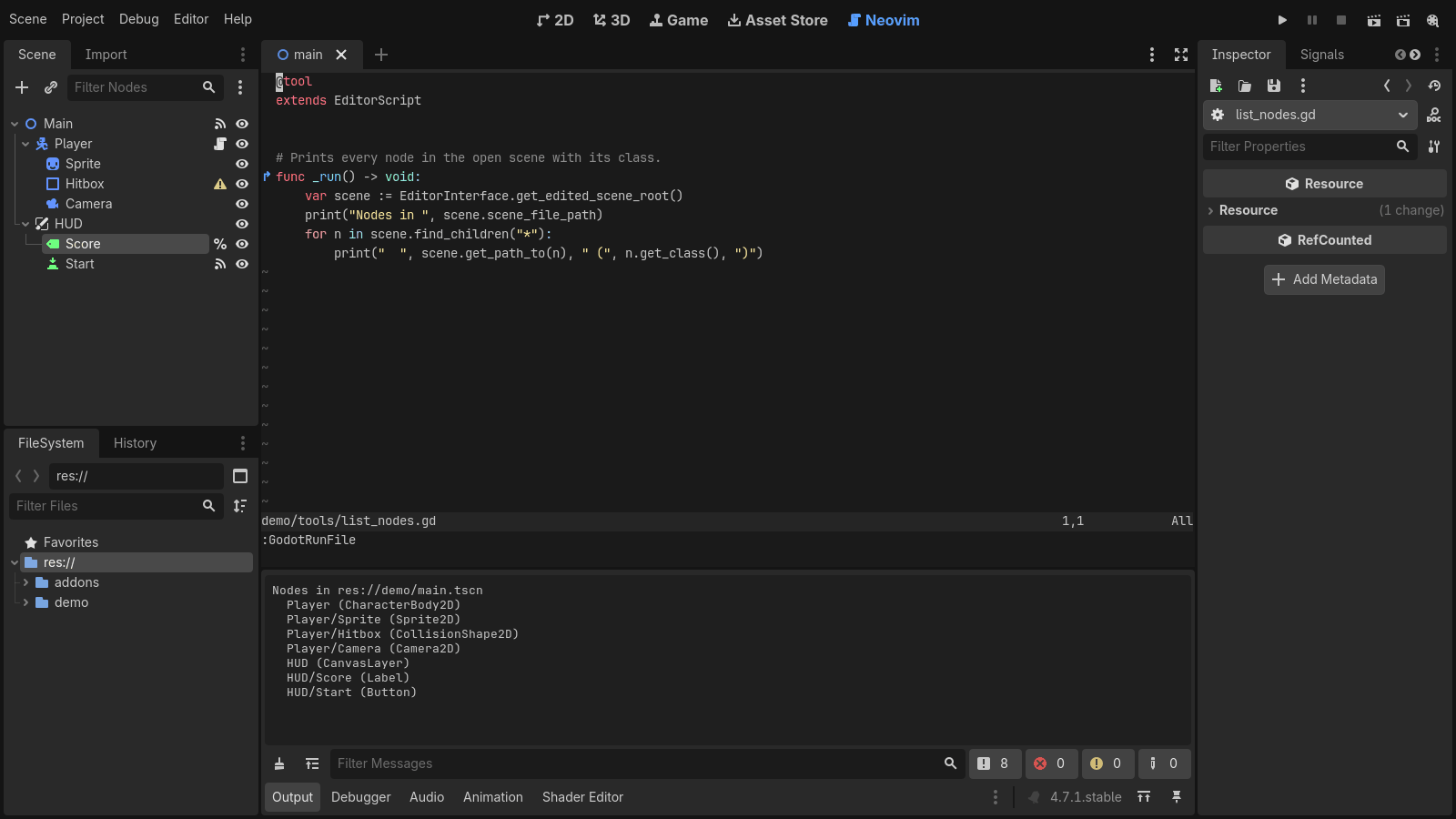
Dragging a property from the Inspector into Neovim inserts it with its node path,
$Path/To/Node.property, or with Ctrl/Cmd held, the NodePath string"Path/To/Node:property".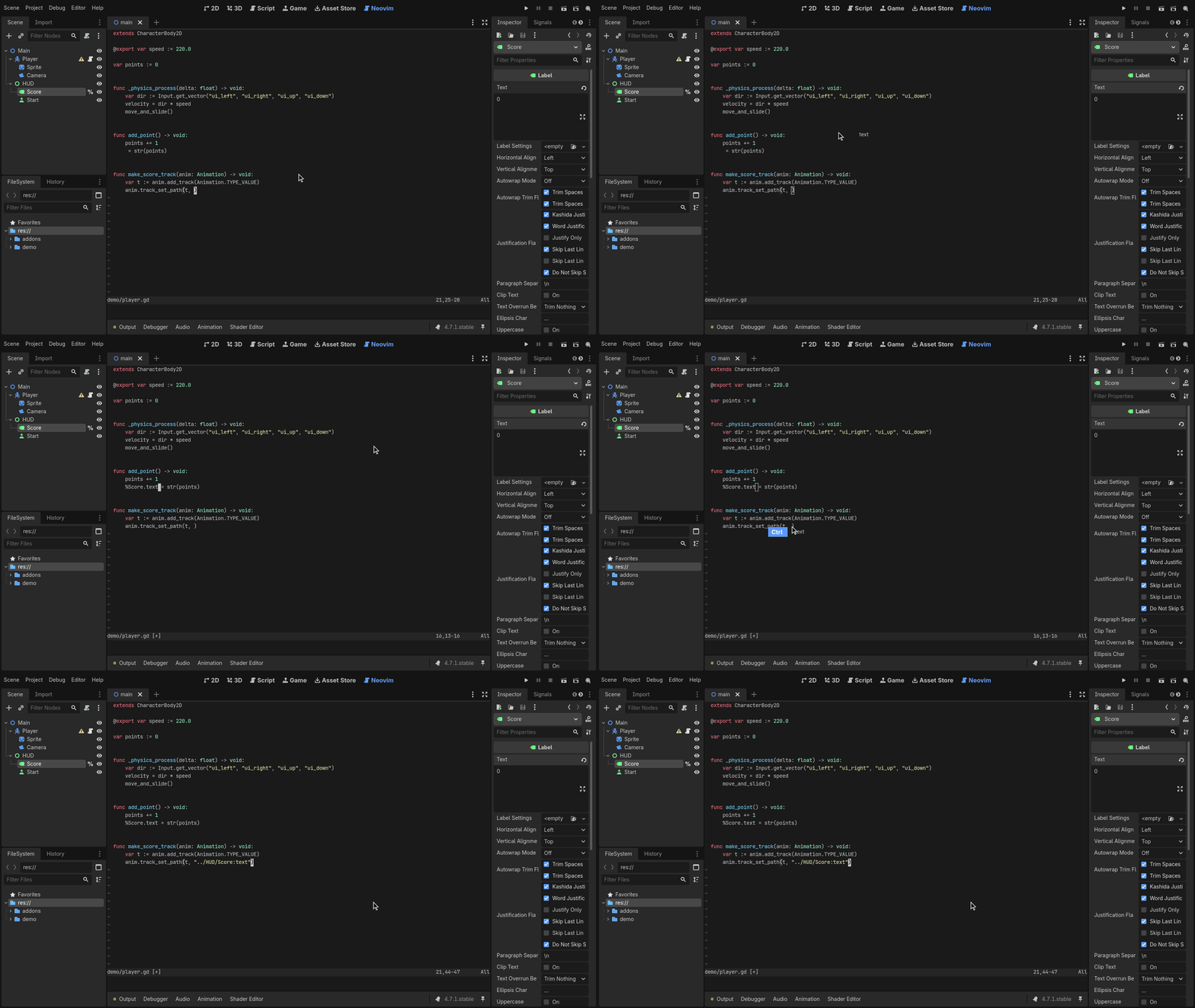
Open files, cursor positions, splits and tabs are saved when the editor closes (or Neovim quits) and restored when the project opens again. The session lives in
.godot/godot_nvim/session.vim. Editor Settings →godot_nvim/restore_sessionturns it off.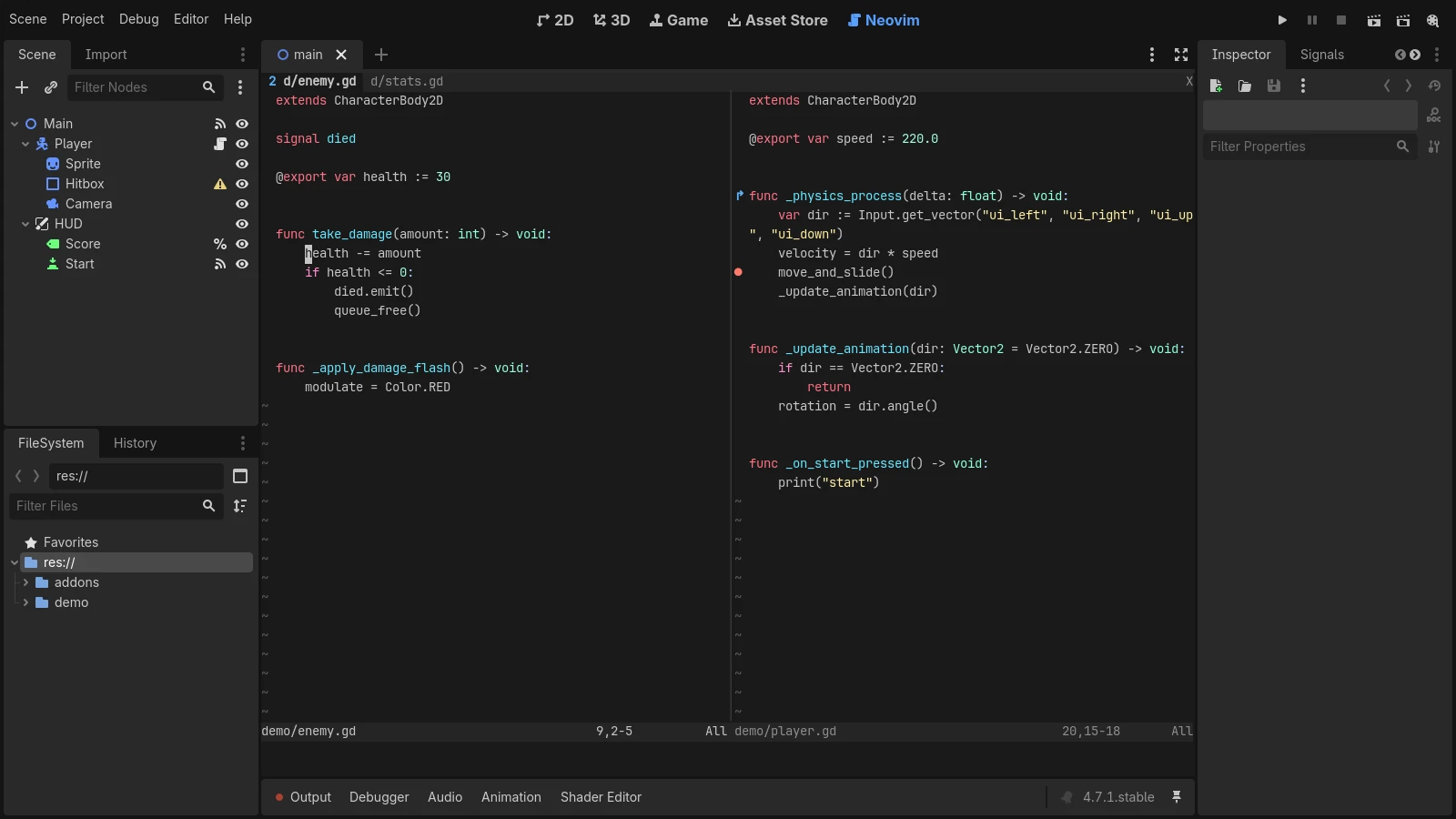
Fixed #
- A file opened from Godot while Neovim was still starting lost its line: Godot now holds files back until Neovim has started.
- The plugin failed to load on Godot 4.5, which lacks
EditorSettings.get_shortcut(). There, the run shortcuts that work while typing are taken from the editor’s run bar.
0.2.0 - 2026-10-25 #
GDScript files are now formatted on save, and :GodotFunc jumps to any
function in the project by name. A new Tools menu entry makes editor
profiles that hide Godot’s Script tab, so Neovim is the only script editor.
Added #
:GodotFunc <name>opens a GDScript function by name from anywhere in the project, with name completion. Several matches, or partial ones, go to the quickfix list. Godot’s language server has no workspace symbol search.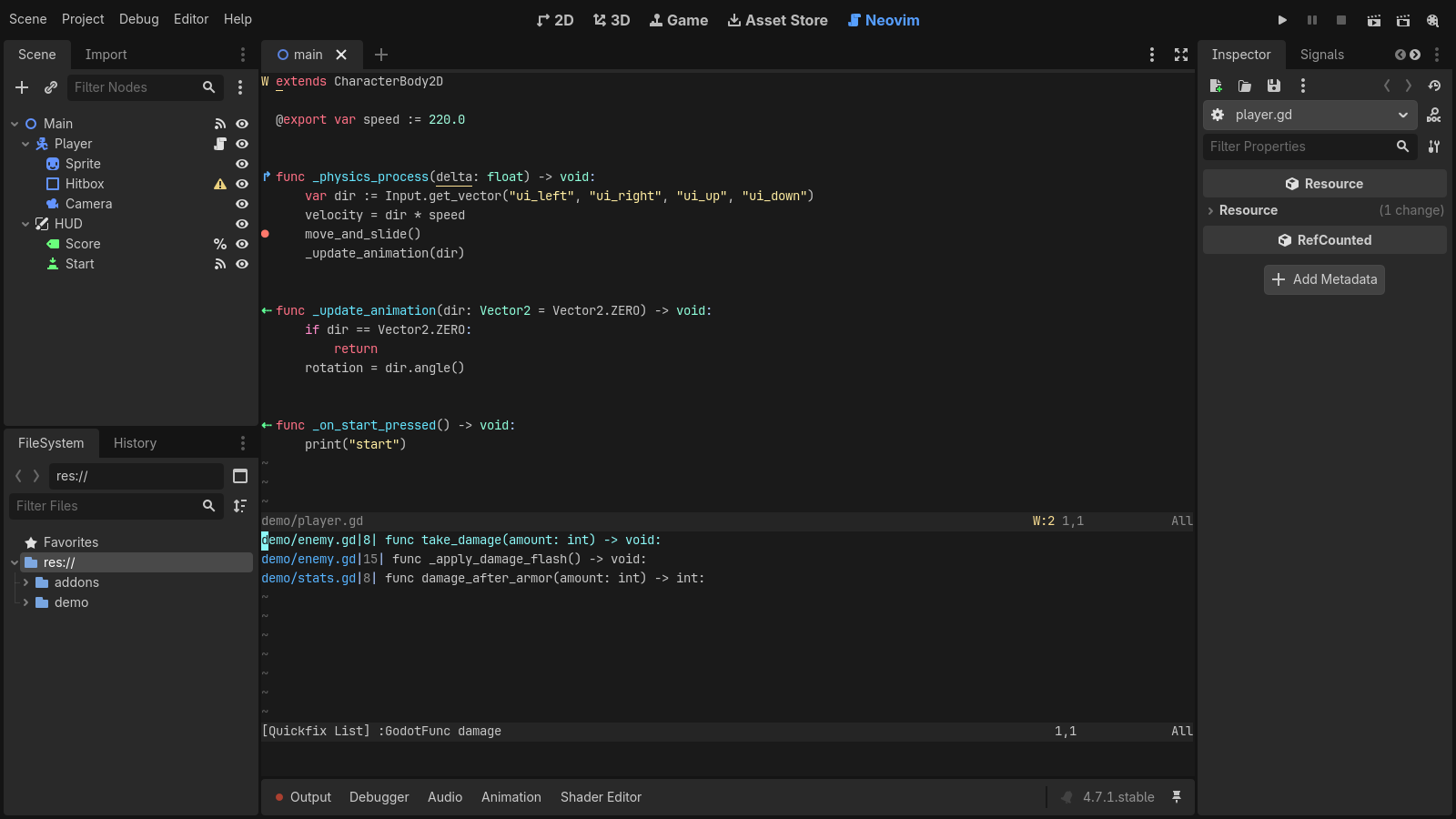
Project → Tools → Create Neovim Editor Profiles: copies each editor feature profile to
<name>-neovimwith the Script screen hidden, and offers to switch to one. The README now recommends hiding the Script screen.
GDScript formatting on save, on by default. It uses GDQuest’s
gdscript-formatter(including the copy its Godot add-on installs) or gdtoolkit’sgdformat, whichever is found, and does nothing if neither is installed. Editor Settings →godot_nvim/format_on_saveturns it off andgodot_nvim/formatter_commandpicks another command.:GodotFormatformats on demand.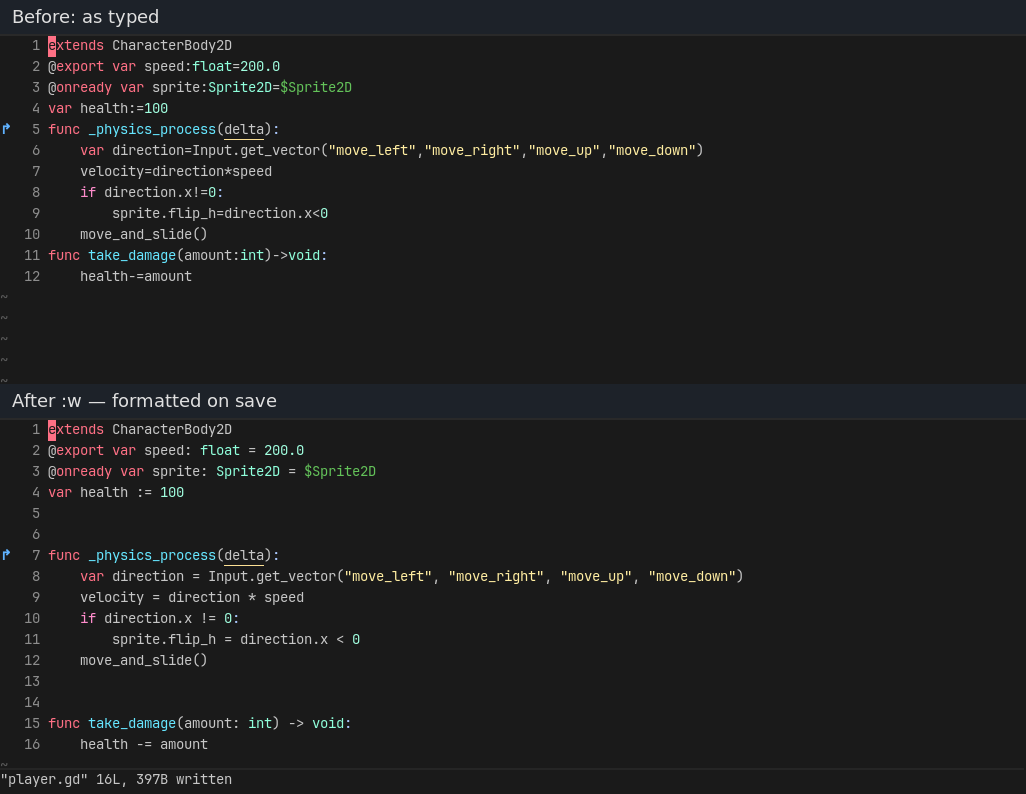
0.1.0 - 2026-10-25 #
The first release: Neovim embedded in the Godot editor as its script editor. It keeps drag-and-drop, the GDScript language server, debugger breakpoints, signal and override signs, the editor’s colors and the run shortcuts.
Added #
Neovim embedded in a main-screen tab through the UI protocol (ext_linegrid). GDScript, shaders and other text files open there instead of Godot’s script editor.
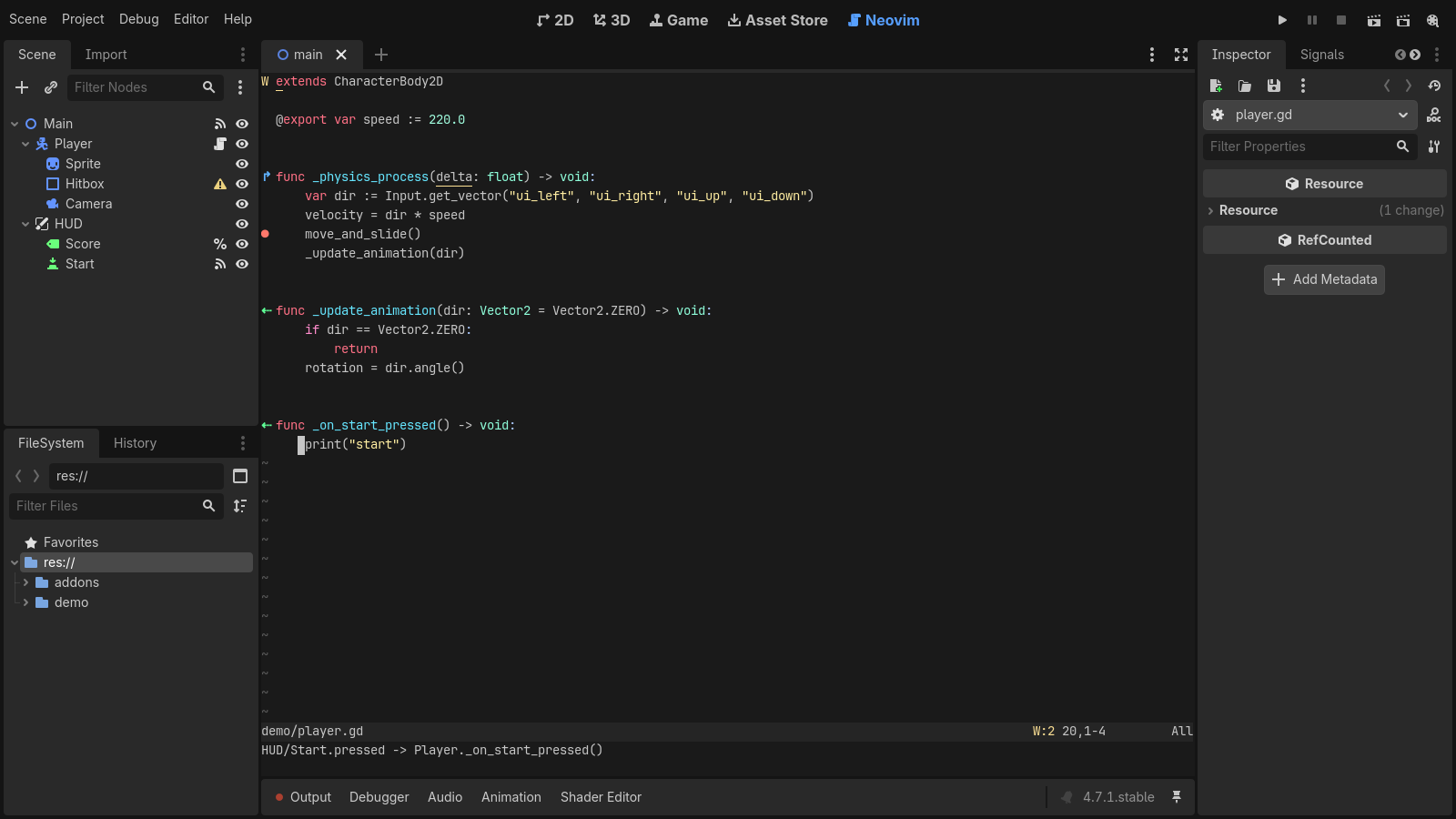
Drag-and-drop of scene nodes and files from the Scene and FileSystem docks. The inserted text matches Godot’s script editor (
$Node,$"../Path",%Unique,preload(...),@onready varwith Ctrl/Cmd).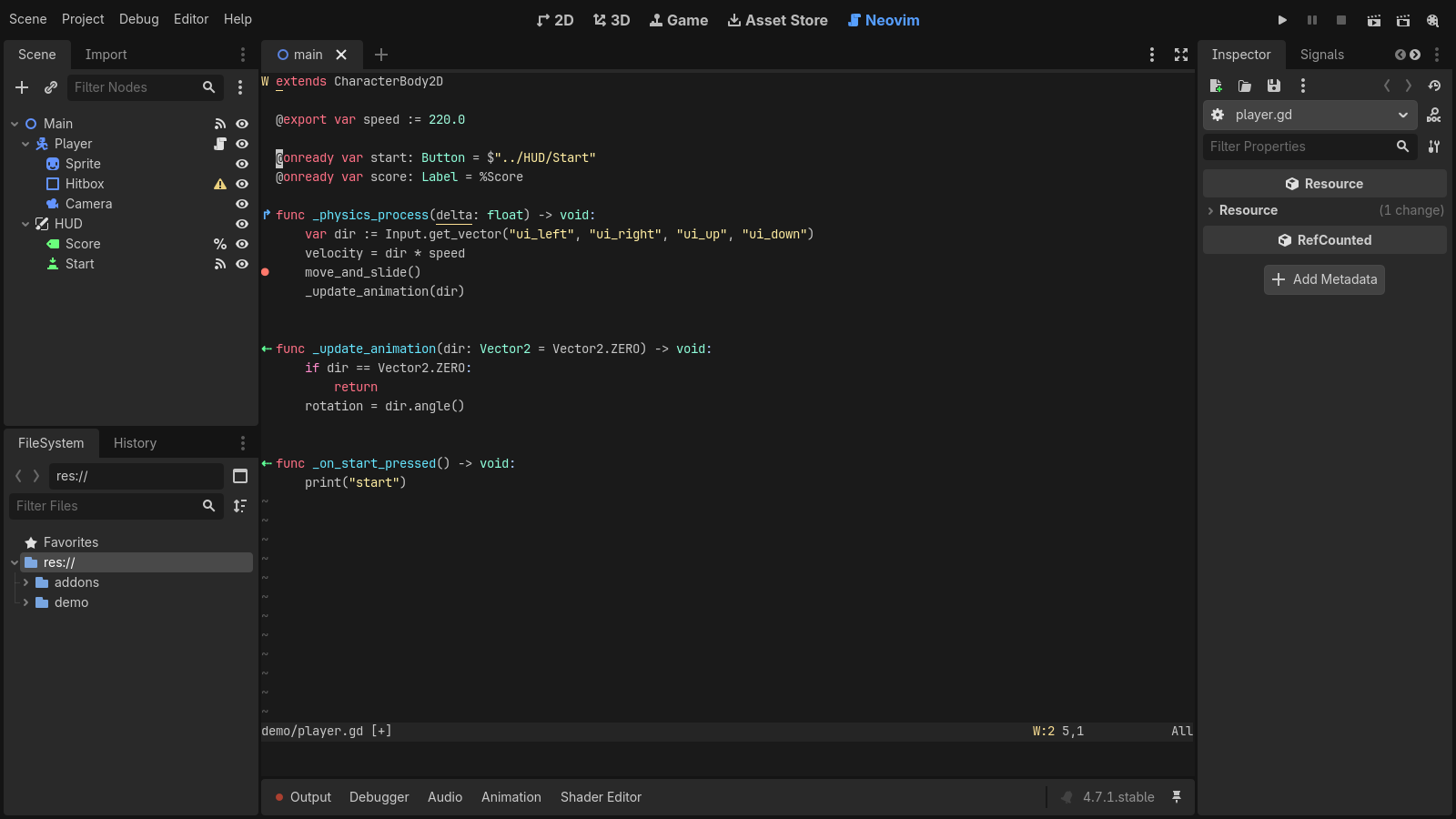
The GDScript language server, connected automatically.
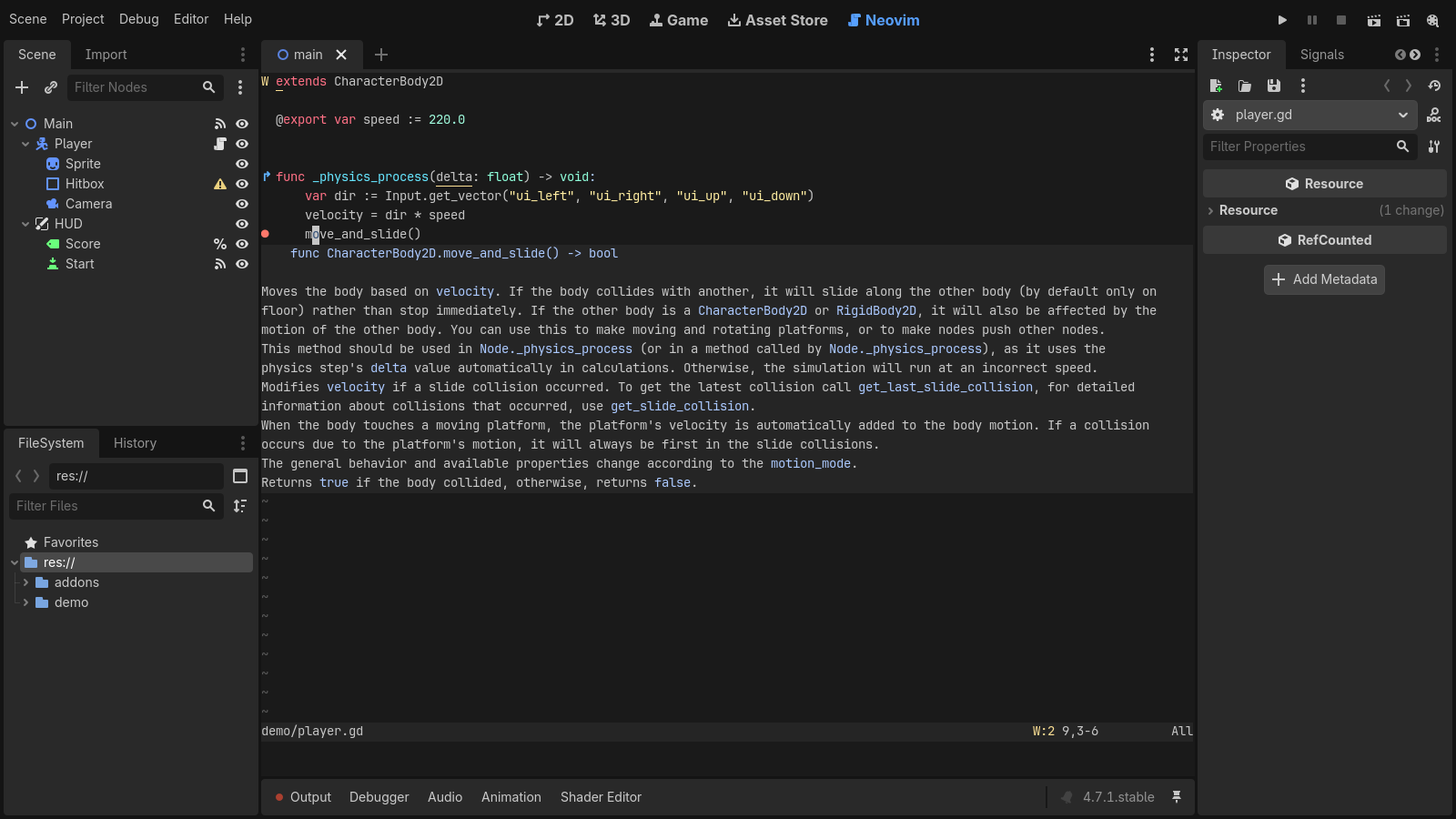
Debugger breakpoints as signs. Toggle them with F9 or a double-click on the gutter. They sync both ways with Godot’s debugger, follow its go-to-line, and grey out while Skip Breakpoints is on.
Signs for methods connected to signals (
⇠) and for overridden virtual or inherited methods (↱).:GodotConnectionslists both for the method under the cursor.A
godotcolorscheme built from the editor’s text editor colors, updated when the editor theme changes (settinggodot_nvim/use_editor_colors).The editor’s run shortcuts work inside Neovim (Run Project, Run Current Scene, Run Specific Scene, Pause, Stop), plus
:GodotRun,:GodotRunCurrent,:GodotRunScene,:GodotPauseand:GodotStop.:wsaves without moving focus out of Neovim.:qcloses the buffer instead of Neovim, and:wqsaves then closes it.Asset Library packaging, and a release workflow that publishes the addon zip when a version tag is pushed.